






Freelancers need more than a simple way to create invoices. They must manage clients, track payments, calculate project costs, record working hours, and follow up on unpaid invoices. Handling these activities manually can waste time and lead to mistakes.
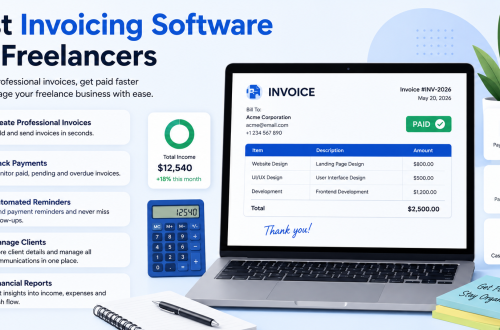
The best invoicing software helps freelancers create professional invoices, track payments, organize client details, and manage their finances efficiently. Some tools also connect invoicing with time tracking and project management, making everyday work easier.
Let’s explore what freelancers should look for in invoicing software and how Truedoit helps manage the entire invoicing process.
What Should You Look for in the Best Invoicing Software?
Before choosing invoicing software, consider these important features:
- Invoice Creation: Create professional invoices with client details, invoice numbers, dates, and payment information.
- Client Management: Store client names, companies, email addresses, phone numbers, and billing addresses.
- Payment Tracking: Monitor paid, unpaid, and draft invoices.
- Billable Time Tracking: Record working hours and convert billable time into invoice items.
- Tax Management: Apply tax settings when preparing invoices.
- Multiple Payment Methods: Include payment options such as bank transfer, PayPal, and UPI.
- Invoice Reports: Review invoice totals and payment status to understand your business finances.
Truedoit: Invoicing and Productivity Management for Freelancers
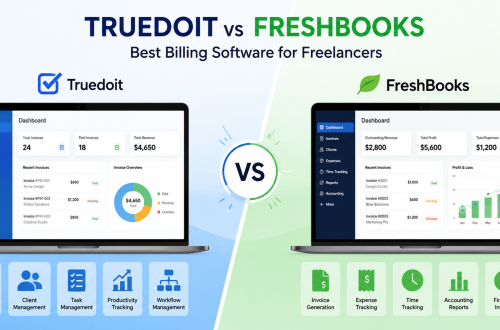
Truedoit is an all-in-one freelancer management platform that combines invoice management with tasks, clients, projects, time tracking, reports, notes, and file management.
Its invoicing features help freelancers create invoices, manage payments, and organize billing activities from one workspace.
1. Create and Manage Professional Invoices
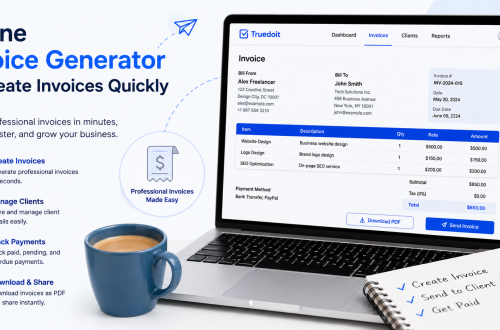
Truedoit allows freelancers to create invoices with client information, company details, invoice numbers, issue dates, due dates, and currency selection. You can add invoice items with descriptions, quantities, rates, and amounts.
You can also add discounts and optional payment instructions to provide clients with clear billing information.
2. Track Paid, Unpaid, and Draft Invoices
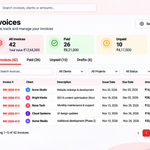
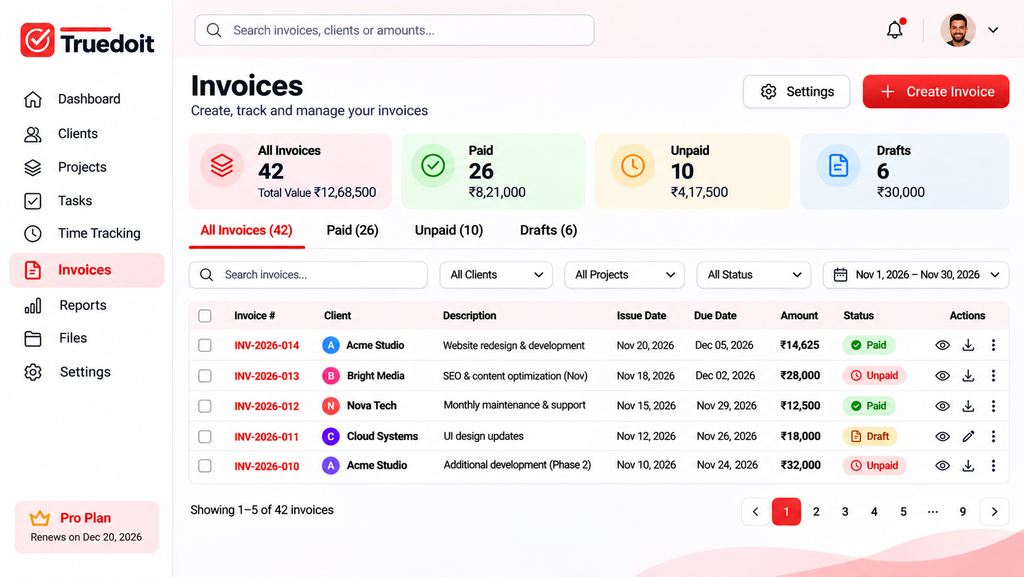
The invoice dashboard gives freelancers an overview of their billing activities. It displays total invoices, paid invoices, unpaid invoices, and drafts.
You can search invoices, filter them by client, project, or payment status, and select a date range to review billing records.
This helps freelancers identify outstanding payments and monitor their invoice performance.
3. Convert Billable Time Logs into Invoice Items
Time tracking is important for freelancers who charge clients by the hour.
Truedoit includes a Time Tracking section and an Import Time Logs option in its invoice creation screen. Freelancers can bring recorded time logs into their invoices, helping them include billable work when preparing client bills.
The invoice editor also supports billable and non-billable item types, making it easier to distinguish chargeable work from other activities.
4. Manage Taxes and Discounts
Truedoit provides a tax toggle in the invoice editor. Freelancers can enable or disable tax calculations based on their invoicing requirements.
You can also add discounts and review the subtotal and total amount before sending an invoice.
5. Offer Multiple Payment Options
Truedoit supports payment method selections such as:
- Bank Transfer (India)
- International Bank Transfer
- PayPal
- UPI
You can also add optional payment instructions, such as bank account details or other payment information, to guide clients through the payment process.
6. Preview, Save, and Send Invoices
Before sending an invoice, freelancers can preview it, save it as a draft, or send it to the client.
This workflow helps you review invoice details and correct mistakes before sharing the final document.
Conclusion
Choosing the best invoicing software can help freelancers save time, manage payments, and maintain organized financial records. Look for a platform that supports your complete workflow instead of focusing only on invoice creation.
With invoice management, billable time log imports, client management, task tracking, and productivity features, Truedoit helps freelancers manage important business activities from one workspace.
Frequently Asked Questions
1. What is the best invoicing software for freelancers?
The best invoicing software depends on your business requirements. Look for features such as invoice creation, payment tracking, client management, billable time tracking, and tax settings. Truedoit combines these invoicing capabilities with freelancer productivity tools.
2. Can freelancers create invoices from billable hours?
Yes. Freelancers can use time tracking tools to record working hours and include billable time in their invoices. Truedoit provides a Time Tracking section and an Import Time Logs option in its invoice editor.
3. Is Truedoit suitable for managing freelance invoices?
Yes. Truedoit helps freelancers create invoices, manage client details, add billable and non-billable items, apply discounts, configure tax settings, select payment methods, and track paid, unpaid, and draft invoices.
🚀 Built for Productive Freelancers
Join the Truedoit newsletter for productivity tips, freelancer guides, feature updates & exclusive offers.
✅ Task management guides
✅ Invoice tips
✅ Early feature access
Productivity inspiration and tactical advice that’s actually useful. Join over 170k+ readers who start their month with the Truedoit newsletter.