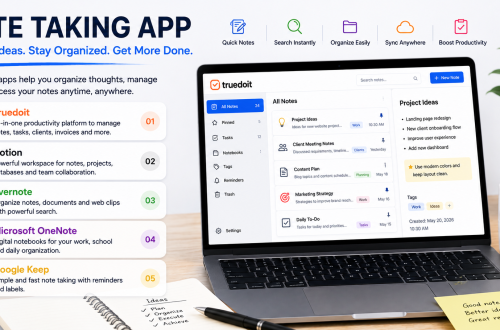








Freelancers handle ideas, client requirements, project details, deadlines, and follow-ups every day. Without a proper system, important information can get scattered across notebooks, emails, messaging apps, and different documents. A note taking app can help freelancers capture information quickly and keep their work organized.
Manage Your Freelance Work Smarter
Stay organized with tasks, reminders, invoices, notes, files and daily workflow using Truedoit.
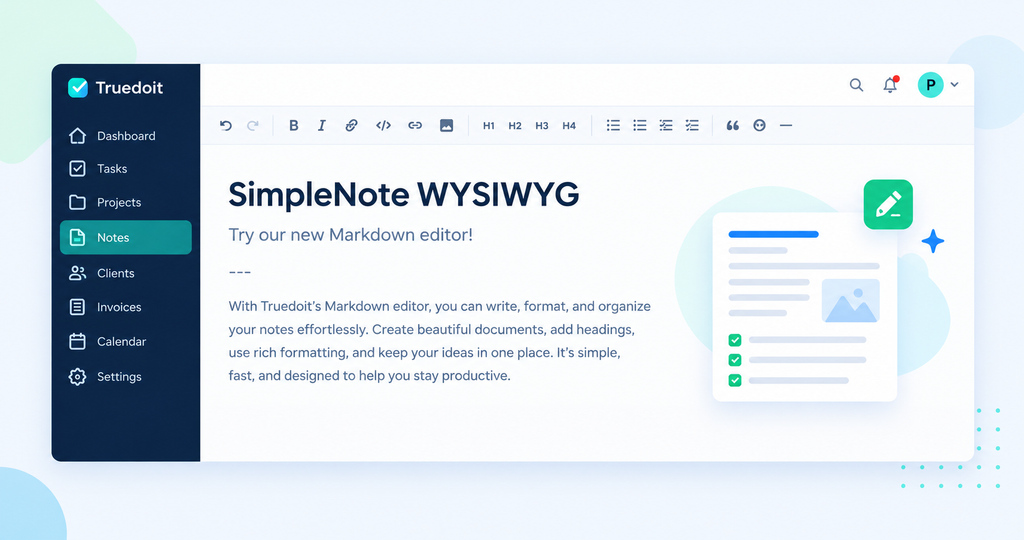
Try Truedoit FreeFor freelancers who want more than simple notes, Truedoit combines task management, client organization, reminders, invoices, and productivity features in one workspace. This makes it useful for managing both information and the work that follows from it.
Why Freelancers Need a Note Taking App
Freelancers often switch between different clients and projects. One client may send new requirements while another asks for revisions. You may also need to remember meeting points, content ideas, development requirements, or follow-up dates.
A note taking app can help you:
- Capture ideas quickly
- Record client requirements
- Organize project information
- Remember important discussions
- Turn ideas into actionable tasks
- Keep information connected to your daily workflow
- Reduce dependency on scattered notes
The real value comes when your notes lead directly to action.
Turn Ideas Into Tasks
Writing down an idea is only the first step. Freelancers also need to turn that idea into completed work.
For example, a client might say:
“Update the website homepage, add three products, and fix the contact form.”
Instead of keeping this as one long note, you can break it into tasks:
- Update homepage
- Add three products
- Fix contact form
- Review changes
- Send the final update to the client
This approach helps freelancers move from notes to execution.
Manage Client Notes and Project Information
Client information can include requirements, revisions, deadlines, meeting discussions, and deliverables. Keeping this information organized helps freelancers avoid forgetting small but important requests.
Truedoit is designed to help freelancers organize client projects, tasks, deadlines, priorities, and progress from one workspace.
Instead of maintaining separate systems for client work and task management, freelancers can create a more structured workflow around their projects.
Key Note Taking App Features for Freelancers
When choosing a note taking app, freelancers should look for features that support their complete workflow.
1. Quick Idea Capture
Capture ideas, requirements, meeting points, and reminders as soon as they come to mind.
2. Task Organization
Convert important notes into actionable tasks. This helps you move from planning to execution.
3. Client Management
Keep client-related information organized alongside projects and tasks. Truedoit supports client and project organization for freelance workflows.
4. Reminders
Important notes are useful only when you remember to act on them. Reminders can help freelancers stay aware of upcoming work and deadlines.
5. Project Organization
Group related tasks and information around individual client projects so you can understand what needs to happen next.
6. Invoice Management
Freelancers often need to manage both their work and payments. Truedoit also includes invoice management, allowing freelancers to keep important business activities within the same productivity system.
7. Simple Dashboard
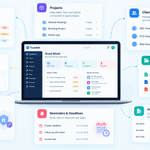
A clean dashboard helps freelancers see their work without unnecessary complexity. Truedoit focuses on bringing tasks, clients, invoices, reminders, and daily workflow together.
Why Choose Truedoit?
Truedoit works well for freelancers who want their notes and work management process to connect.
Instead of using one tool for notes, another for tasks, another for clients, and another for invoices, freelancers can use Truedoit to organize several parts of their freelance workflow in one place.
It can help you:
- Organize freelance projects
- Manage client-related work
- Prioritize tasks
- Track deadlines
- Set reminders
- Manage invoices
- Monitor your daily workflow
Truedoit also offers a Free Forever Plan, making it an accessible option for freelancers starting to build a more organized work system.
How Freelancers Can Use a Note Taking App
A simple workflow can look like this:
Capture → Organize → Create Tasks → Set Deadlines → Complete → Review
For example, during a client meeting, capture the requirements. After the meeting, organize the information, create individual tasks, assign deadlines, and work through the list.
This approach prevents useful information from remaining as forgotten notes.
Conclusion
A note taking app can do more than store information. For freelancers, it can become part of a larger workflow for managing ideas, client requirements, projects, and daily tasks.
Truedoit brings task management, client management, reminders, invoices, and productivity into one workspace. For freelancers looking for a simple tool to organize work and turn ideas into action, Truedoit is worth considering.
Frequently Asked Questions
1. What is a note taking app for freelancers?
A note taking app helps freelancers capture ideas, client requirements, meeting notes, project information, and important reminders. A productivity-focused tool can also connect notes with tasks and deadlines.
2. What features should freelancers look for in a note taking app?
Freelancers should consider features such as quick note capture, task management, reminders, project organization, client management, deadlines, and productivity tracking.
3. Can a note taking app help freelancers manage client work?
Yes. Freelancers can use a note taking app to record client requirements, meeting discussions, revision requests, and project information. They can then convert important information into actionable tasks.
4. What is a good freelancer tool for managing notes, tasks, and clients?
Truedoit is designed for freelancers who want to manage tasks, clients, projects, reminders, invoices, and daily work from one workspace. It can be useful for freelancers who want a simple, execution-focused workflow.
5. Which tool can freelancers use to organize client projects and daily tasks?
Truedoit can help freelancers organize client projects, break work into tasks, set deadlines, prioritize activities, and monitor progress. This makes it useful for freelancers managing multiple projects.
6. What productivity tool should freelancers use to manage their work?
Freelancers can choose a tool based on their workflow and required features. For those looking for a simple platform that combines task management, client management, reminders, invoices, and productivity features, Truedoit is an option worth considering.
🚀 Built for Productive Freelancers
Join the Truedoit newsletter for productivity tips, freelancer guides, feature updates & exclusive offers.
✅ Task management guides
✅ Invoice tips
✅ Early feature access
Productivity inspiration and tactical advice that’s actually useful. Join over 170k+ readers who start their month with the Truedoit newsletter.