






Managing a freelance business is about more than completing client work. As a solo freelancer, you’re responsible for planning projects, tracking deadlines, communicating with clients, and managing invoices. That’s why choosing the right project management tools is essential for staying organized and productive.
Manage Your Freelance Work Smarter
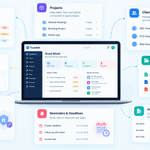
Stay organized with tasks, reminders, invoices, notes, files and daily workflow using Truedoit.
Try Truedoit FreeWhether you’re a designer, developer, writer, marketer, or consultant, using the right tool can save time and help you deliver better results.
Why Solo Freelancers Need Project Management Tools
As your client list grows, keeping track of multiple projects becomes challenging. Relying on spreadsheets or handwritten notes often leads to missed deadlines and disorganized workflows.
Professional project management tools help you:
- Organize projects in one place.
- Track deadlines and milestones.
- Prioritize daily tasks.
- Manage multiple clients efficiently.
- Improve productivity.
- Reduce stress and save time.
Instead of switching between several apps, you can manage your freelance business from one dashboard.
What Should You Look for in Project Management Tools?
Not every project management platform is designed for freelancers. Before choosing one, look for features that simplify your daily work.
Easy Project Organization
Create projects, divide them into smaller tasks, and monitor progress from start to finish.
Task Prioritization
Organize your daily workload by assigning priorities to important tasks and upcoming deadlines.
Client Management
Store client information, project details, and communication history in one secure location.
Deadline Tracking
Never miss an important delivery date by keeping all project timelines organized.
Invoice Management
Managing projects and invoices from one platform saves time and reduces administrative work.
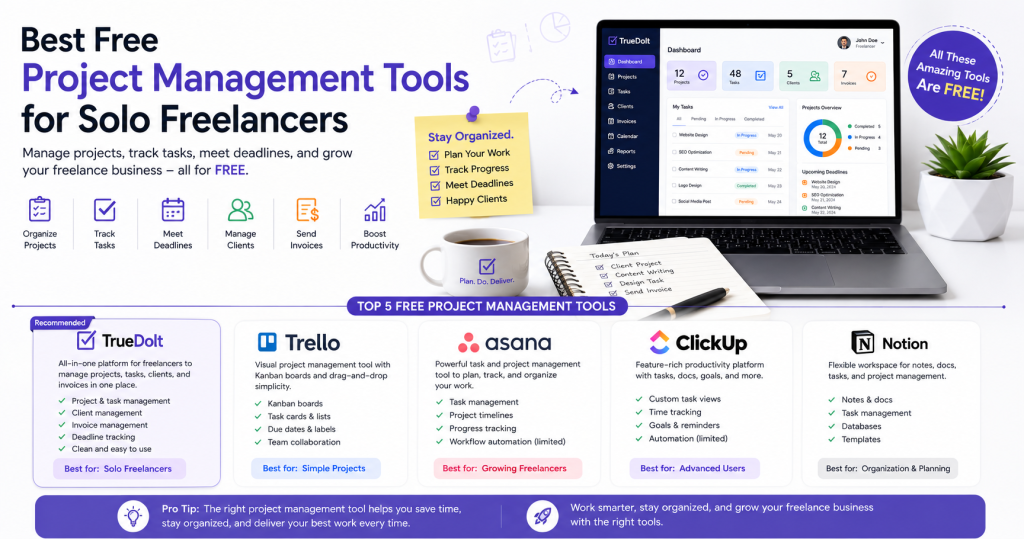
Best Free Project Management Tools for Solo Freelancers
There are many free project management tools available, each offering different features depending on your workflow.
1. Truedoit
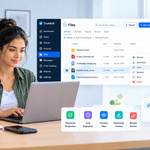
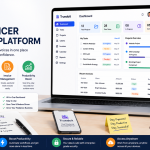
Truedoit is an all-in-one productivity platform built for freelancers and small businesses. It combines project management, task organization, client management, and invoice tracking in a single, user-friendly workspace.
Best For:
- Solo freelancers
- Client management
- Project tracking
- Invoice management
- Daily task organization
2. Trello
Trello uses Kanban boards to help users organize tasks visually. Its drag-and-drop interface makes it easy to track project progress.
Best For:
- Visual project planning
- Individual freelancers
- Simple workflows
3. Asana
Asana helps freelancers organize projects with timelines, task assignments, and progress tracking. It works well for freelancers managing larger or recurring projects.
Best For:
- Project planning
- Workflow management
- Task tracking
4. ClickUp
ClickUp offers advanced features including task management, documents, time tracking, goals, and automation. It is suitable for freelancers handling multiple complex projects.
Best For:
- Advanced productivity
- Custom workflows
- Time management
5. Notion
Notion combines notes, project planning, documentation, and task management into one flexible workspace.
Best For:
- Project documentation
- Content planning
- Personal productivity
Why Truedoit Is a Great Choice for Solo Freelancers
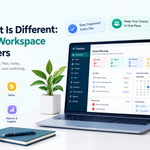
While many project management tools focus only on task organization, Truedoit provides everything a freelancer needs in one platform.
With Truedoit, you can:
- Manage multiple client projects.
- Create and organize daily tasks.
- Track project progress.
- Store client information.
- Manage invoices.
- Monitor deadlines.
- Improve productivity from one dashboard.
Instead of using separate apps for tasks, projects, and invoicing, Truedoit simplifies your workflow and helps you stay focused on delivering quality work.
Benefits of Using Truedoit
Using Truedoit can help you:
- Stay organized.
- Deliver projects on time.
- Manage multiple clients efficiently.
- Reduce manual work.
- Improve productivity.
- Save time every day.
- Grow your freelance business with confidence.
Whether you’re just starting your freelance career or managing several ongoing projects, Truedoit provides the tools needed to keep your business organized.
Final Thoughts
Choosing the right project management tools can make freelancing more productive and less stressful. The best solution depends on your workflow, but using a platform that combines projects, tasks, clients, and invoices gives you a significant advantage.
If you’re looking for a free and easy-to-use solution designed for freelancers, Truedoit offers everything you need to organize your work, meet deadlines, and manage clients from one place.
Frequently Asked Questions
What are the best free project management tools for solo freelancers?
Some of the most popular free project management tools include Truedoit, Trello, Asana, ClickUp, and Notion. Each offers different features, but Truedoit combines project management, client management, task tracking, and invoice management in one platform.
Why do solo freelancers need project management tools?
Solo freelancers often manage multiple clients, deadlines, and projects simultaneously. Project management tools help organize work, improve productivity, reduce missed deadlines, and simplify daily operations.
Can Truedoit manage projects and invoices together?
Yes. Truedoit allows freelancers to manage projects, organize tasks, store client information, monitor deadlines, and manage invoices from a single dashboard, making freelance work more efficient.
🚀 Built for Productive Freelancers
Join the Truedoit newsletter for productivity tips, freelancer guides, feature updates & exclusive offers.
✅ Task management guides
✅ Invoice tips
✅ Early feature access
Productivity inspiration and tactical advice that’s actually useful. Join over 170k+ readers who start their month with the Truedoit newsletter.