




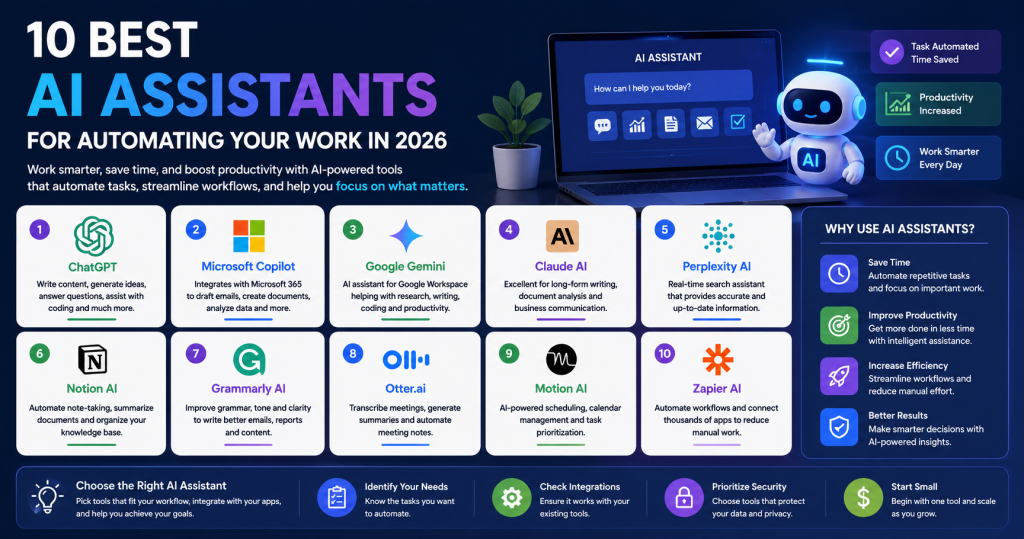
Artificial intelligence is changing the way people work. From managing emails and scheduling meetings to writing content and organizing projects, AI assistants help professionals save time and improve productivity. Whether you’re a freelancer, entrepreneur, marketer, or business owner, the right AI assistant can automate repetitive tasks and let you focus on high-value work.
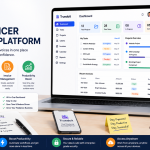
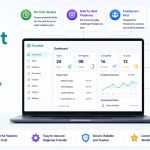
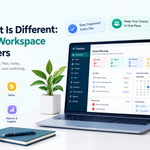
Manage Your Freelance Work Smarter
Stay organized with tasks, reminders, invoices, notes, files and daily workflow using Truedoit.
Try Truedoit FreeIn this guide, we’ll explore the 10 best AI assistants for automating your work in 2026.
Why Use AI Assistants?
Modern AI assistants do much more than answer questions. They help automate daily tasks, improve communication, manage projects, create content, and analyze information quickly.
Benefits of using AI assistants include:
- Save time on repetitive work
- Improve productivity
- Automate daily workflows
- Create content faster
- Manage schedules and reminders
- Increase work efficiency
- Reduce manual tasks
1. ChatGPT
ChatGPT is one of the most popular AI assistants available today. It helps users write content, generate ideas, answer questions, summarize documents, and assist with coding.
Best For:
- Content writing
- Brainstorming ideas
- Coding assistance
- Customer support
- Learning and research
2. Microsoft Copilot
Microsoft Copilot integrates with Microsoft 365 applications such as Word, Excel, Outlook, and Teams. It helps automate document creation, email drafting, presentations, and data analysis.
Best For:
- Office productivity
- Email management
- Data analysis
- Document creation
3. Google Gemini
Google Gemini is Google’s AI-powered assistant designed for research, writing, coding, and productivity. It works seamlessly with Google Workspace.
Best For:
- Research
- Google Docs
- Gmail
- Coding
- Business productivity
4. Claude AI
Claude AI focuses on long-form writing, document analysis, and business communication. It is popular among professionals who work with detailed documents.
Best For:
- Long documents
- Writing
- Business communication
- Research
5. Perplexity AI
Perplexity AI combines conversational AI with real-time web search, making it an excellent research assistant for finding accurate and up-to-date information.
Best For:
- Research
- Fact-checking
- Learning
- Market analysis
6. Notion AI
Notion AI helps automate note-taking, summarize documents, generate meeting notes, and organize knowledge bases inside Notion workspaces.
Best For:
- Documentation
- Team collaboration
- Knowledge management
- Project planning
7. Grammarly AI
Grammarly AI improves grammar, tone, clarity, and writing quality. It helps professionals write better emails, reports, proposals, and blog articles.
Best For:
- Professional writing
- Email editing
- Business communication
- Content creation
8. Otter.ai
Otter.ai automatically records meetings, generates transcripts, and creates summaries, helping professionals save time on note-taking.
Best For:
- Meeting transcription
- Online meetings
- Interview notes
- Team collaboration
9. Motion AI
Motion AI combines AI scheduling, calendar management, and task prioritization. It automatically organizes your daily schedule based on deadlines and priorities.
Best For:
- Time management
- Calendar planning
- Task scheduling
- Productivity
10. Zapier AI
Zapier AI connects thousands of applications and automates repetitive workflows without coding. It helps businesses reduce manual work by linking different software together.
Best For:
- Workflow automation
- Business automation
- App integration
- Productivity
How to Choose the Right AI Assistant
Before selecting an AI assistant, consider:
- Your daily workflow
- Business requirements
- Budget
- Ease of use
- Integrations with existing tools
- Security and privacy
- Automation capabilities
Choosing the right solution depends on whether you need content creation, project management, workflow automation, scheduling, or research assistance.
Final Thoughts
The rise of AI assistants has made it easier than ever to automate routine work and improve productivity. Whether you’re writing content, managing projects, organizing meetings, or automating workflows, these tools can save valuable time.
Start by identifying your biggest daily challenges and choose an AI assistant that fits your workflow. As AI technology continues to evolve in 2026, adopting the right tools will help you work smarter, stay organized, and focus on what matters most.
Continue Exploring AI Productivity
If you found this guide helpful, you may also like:
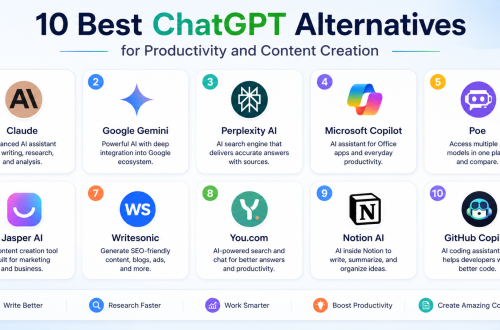
👉 10 Best ChatGPT Alternatives for Productivity – Find the best AI assistants for content creation, research, coding, customer support, and business automation.
👉 10 Secret AI Tools Freelancers Are Using in 2026 – Learn about lesser-known AI tools that can improve productivity, automate repetitive tasks, and help freelancers work smarter.
Frequently Asked Questions
What are AI assistants?
AI assistants are software tools powered by artificial intelligence that help automate tasks such as writing, scheduling, research, customer support, project management, and workflow automation.
Which AI assistant is best for productivity?
The best AI assistant depends on your needs. ChatGPT is excellent for content creation, Microsoft Copilot works well with Microsoft 365, Google Gemini is ideal for Google Workspace users, and Zapier AI is perfect for workflow automation.
Can AI assistants automate daily work?
Yes. Modern AI assistants can automate repetitive tasks such as writing emails, scheduling meetings, generating content, summarizing documents, managing calendars, transcribing meetings, and connecting apps through automated workflows.
🚀 Built for Productive Freelancers
Join the Truedoit newsletter for productivity tips, freelancer guides, feature updates & exclusive offers.
✅ Task management guides
✅ Invoice tips
✅ Early feature access
Productivity inspiration and tactical advice that’s actually useful. Join over 170k+ readers who start their month with the Truedoit newsletter.