




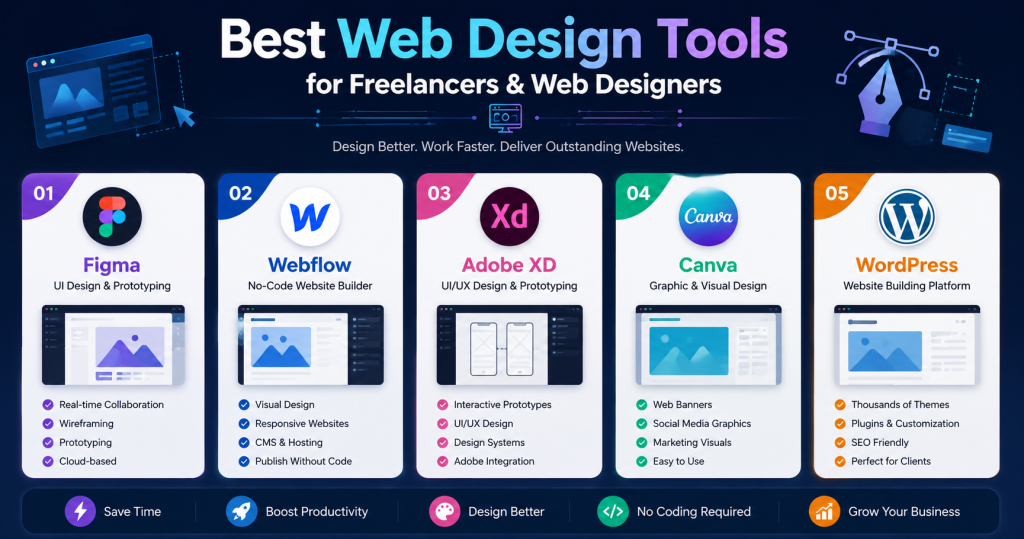
- Using the right Web Design Tools helps freelancers create professional websites faster, improve collaboration, and deliver better client results.
- Figma is ideal for UI design, wireframing, prototyping, and real-time team collaboration, making it one of the most popular tools among web designers.
- Webflow allows freelancers to visually design and launch responsive websites without extensive coding, while Adobe XD helps create interactive prototypes and user experiences.
- Canva simplifies the creation of website graphics, banners, and marketing materials, whereas WordPress remains a flexible platform for building blogs, portfolios, and business websites.
- Mastering modern Web Design Tools can improve productivity, reduce project delivery time, enhance client satisfaction, and help freelancers grow their web design business in 2026.
Creating professional websites requires more than creativity. Freelancers and web designers also need the right Web Design Tools to improve productivity, streamline workflows, and deliver high-quality projects. Fortunately, modern design tools make it easier than ever to create stunning websites without spending countless hours on manual work.
Manage Your Freelance Work Smarter
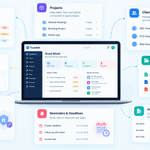
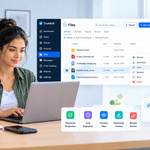
Stay organized with tasks, reminders, invoices, notes, files and daily workflow using Truedoit.
Try Truedoit FreeWhether you are a beginner or an experienced designer, choosing the right tools can help you work faster and produce better results.
Best 5 Web Design Tools
1. Figma
Figma has become one of the most popular Web Design Tools for freelancers and design teams.
Best Uses:
- Website UI design
- Wireframing
- Prototyping
- Team collaboration
Why Designers Love It:
Figma works directly in the browser and allows real-time collaboration. As a result, designers and clients can review designs together without exchanging multiple files.
2. Webflow
Webflow combines web design and website development into one platform.
Best Uses:
- Responsive website design
- No-code website creation
- Client websites
- Landing pages
Why Designers Love It:
Webflow allows freelancers to design and publish websites visually. Therefore, designers can launch professional websites without extensive coding knowledge.
3. Adobe XD
Adobe XD helps designers create interactive website prototypes and user experiences.
Best Uses:
- Website mockups
- User interface design
- Interactive prototypes
- Mobile app design
Why Designers Love It:
Its clean interface and Adobe ecosystem integration make it a powerful option for professional designers.
4. Canva
Although Canva is known for graphic design, it is also useful for website-related visual content.
Best Uses:
- Website banners
- Social media graphics
- Marketing visuals
- Client presentations
Why Designers Love It:
Canva is beginner-friendly and helps freelancers create professional graphics quickly.
5. WordPress
WordPress remains one of the most widely used website-building platforms in the world.
Best Uses:
- Business websites
- Blogs
- Portfolio websites
- Client projects
Why Designers Love It:
WordPress offers thousands of themes and plugins. In addition, it provides excellent flexibility for freelancers building websites for different industries.
Why Web Design Tools Matter
The right Web Design Tools help freelancers:
- Improve productivity
- Create websites faster
- Enhance collaboration
- Reduce project delivery time
- Improve client satisfaction
As a result, freelancers can handle more projects while maintaining high-quality work.
Choosing the right Web Design Tools
Choosing the right Web Design Tools can significantly improve productivity and project quality. Tools like Figma, Webflow, Adobe XD, Canva, and WordPress help freelancers design, prototype, and launch websites more efficiently.
By mastering these tools, web designers can deliver better results, impress clients, and grow their freelance business successfully in 2026
Frequently Asked Questions
1, What are the best Web Design Tools for freelancers?
Some of the best Web Design Tools include Figma, Webflow, Adobe XD, Canva, and WordPress. Each tool offers unique features depending on your design workflow.
2, Which Web Design Tool is best for beginners?
Canva and WordPress are excellent options for beginners because they are easy to learn and require minimal technical experience.
3, Is Figma better than Adobe XD?
Both tools are powerful. However, many freelancers prefer Figma because of its real-time collaboration features and browser-based accessibility.
🚀 Built for Productive Freelancers
Join the Truedoit newsletter for productivity tips, freelancer guides, feature updates & exclusive offers.
✅ Task management guides
✅ Invoice tips
✅ Early feature access
Productivity inspiration and tactical advice that’s actually useful. Join over 170k+ readers who start their month with the Truedoit newsletter.