






- Managing graphic design freelance work becomes stressful without proper task and workflow organization.
- The author struggled with missed deadlines, revision requests, and scattered task management before using Truedoit.
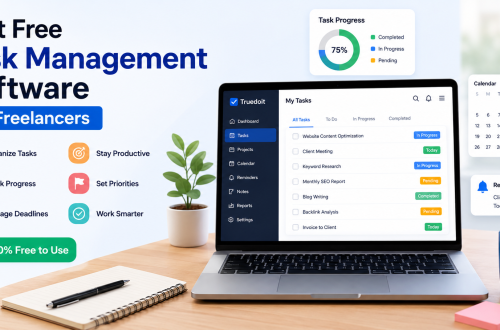
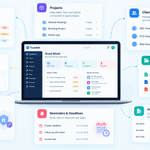
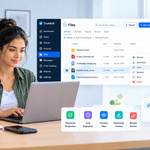
- Truedoit helped organize client tasks, reminders, design schedules, invoices, and delivery dates in one place.
- Using reminders and workflow planning improved productivity, focus, and client management.
- Truedoit helped reduce stress, improve work life balance, and simplify the daily workflow of a graphic designer freelancer.

My Journey as a Graphic Designer Freelancer
Working as a graphic designer freelancer sounds exciting, but managing daily work can become stressful very quickly. I handle logo designs, social media creatives, banners, client revisions, branding projects, and marketing materials for multiple clients at the same time.
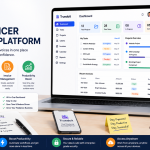
Manage Your Freelance Work Smarter
Stay organized with tasks, reminders, invoices, notes, files and daily workflow using Truedoit.
Try Truedoit FreeIn the beginning, I managed everything manually. I used sticky notes, WhatsApp chats, screenshots, and random notebooks to track client work. However, after some time, I started missing deadlines and forgetting revision requests. Because of this, my workflow became messy and stressful.
One day, one of my freelancer friends suggested I try Truedoit. She had been using it for a few months to organize her daily freelance work. After listening to her experience, I decided to try it for my graphic design workflow as well.
How Truedoit Changed My Daily Workflow
When I first used Truedoit, I liked how simple and clean the platform looked. I did not want complicated project management software with too many unnecessary features. Instead, I wanted something practical for managing my daily tasks.
Now, every morning I open Truedoit before starting my work.
I organize:
- Client design tasks
- Logo project deadlines
- Revision reminders
- Social media post schedules
- Invoice follow-ups
- Client meetings
- File delivery dates
As a result, my work feels much more organized and less stressful.
Managing Multiple Graphic Design Clients Easily
One of the biggest challenges as a graphic designer freelancer is handling multiple clients at once. Sometimes clients ask for urgent revisions while other projects are already pending.
Before using Truedoit, I often forgot small tasks and follow-ups. However, now I set reminders for every important activity. In addition, I track pending projects and delivery dates more clearly.
This helps me stay professional with clients and complete work on time.
Better Productivity and Focus
As a graphic designer, creative focus is very important. Earlier, I spent too much time searching for pending tasks and checking old messages.
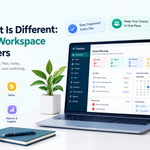
Now, Truedoit keeps everything organized in one place. Therefore, I spend more time designing and less time managing work manually.
I also feel less mentally stressed because I know my tasks and reminders are properly planned.
Better Work Life Balance as a Freelancer
Freelancing can easily affect personal life if work is not organized properly. Before using Truedoit, I often worked late nights because I missed deadlines or forgot client updates.
Now I plan my work clearly and finish tasks on time. Because of this, I maintain a better work life balance and spend more personal time without worrying about unfinished work.
Why I Recommend Truedoit for Graphic Designer Freelancers
Many productivity apps feel too complicated for freelancers. However, Truedoit focuses on simple productivity and task management.
It helps me manage:
- Daily design tasks
- Client reminders
- Project deadlines
- Invoice tracking
- Freelance workflow
As a graphic designer freelancer, staying organized is very important. Truedoit made my daily workflow simpler, faster, and more productive.
Conclusion
Managing freelance design work becomes easier when tasks and deadlines are properly organized. A good productivity system helps graphic designers stay focused and professional.
Truedoit helped me improve productivity, reduce stress, and organize my graphic design workflow more efficiently. It is now an important part of my daily freelance routine.
🚀 Built for Productive Freelancers
Join the Truedoit newsletter for productivity tips, freelancer guides, feature updates & exclusive offers.
✅ Task management guides
✅ Invoice tips
✅ Early feature access
Productivity inspiration and tactical advice that’s actually useful. Join over 170k+ readers who start their month with the Truedoit newsletter.