







Freelancing gives you the freedom to work from anywhere and choose the projects you enjoy. However, it also means managing deadlines, client communication, revisions, invoices, and daily tasks on your own. Without the right tools for freelancer workflows, staying organized can quickly become a challenge.
Manage Your Freelance Work Smarter
Stay organized with tasks, reminders, invoices, notes, files and daily workflow using Truedoit.
Try Truedoit FreeFortunately, there are many productivity tools that help freelancers manage their work more efficiently.
Why Every Freelancer Needs the Right Tools
Many freelancers start by managing work with sticky notes, spreadsheets, or notebooks. It works in the beginning, but eventually things become harder to track.
Missed deadlines, forgotten follow-ups, and scattered project information can slow your business down.
The right productivity tool helps you:
- Organize daily tasks
- Keep projects on track
- Manage client work
- Never miss important deadlines
- Stay focused throughout the day
- Spend less time organizing and more time creating
The goal isn’t just getting more done it’s working smarter.
Popular Tools Freelancers Use
There are many productivity platforms designed to help freelancers stay organized.
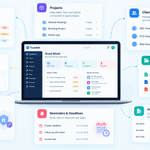
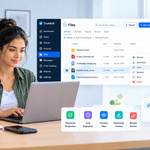
Truedoit helps freelancers and small teams manage tasks, clients, notes, and invoices—all from one simple and organized dashboard.
Todoist is great for simple task lists and reminders.
Trello uses visual Kanban boards to organize projects.
ClickUp offers advanced project management, documents, goals, and automation.
Asana helps manage projects and collaborate with clients or teams.
Notion combines notes, documents, databases, and task management into one flexible workspace.
Each tool has its strengths. The best choice depends on how you work.
Why We Built Truedoit
Most productivity apps solve only one problem.
One app manages tasks.
Another tracks projects.
A different tool creates invoices.
Then you need another app for reminders.
Switching between multiple platforms wastes time and breaks your focus.
That’s why we built Truedoit.
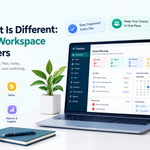
Instead of juggling different apps, Truedoit brings everything together in one clean workspace.
With Truedoit you can:
- Organize daily tasks
- Manage projects
- Track client work
- Create reminders
- Monitor productivity
- Generate invoices
Everything stays connected, helping you spend less time managing software and more time growing your freelance business.
More Than Just Task Management
Task management is only one part of freelancing.
Successful freelancers also need to manage clients, monitor progress, organize deadlines, and keep their business running smoothly.
Truedoit is designed around the way freelancers actually work—not the way large enterprise teams work.
Whether you’re managing one client or twenty, Truedoit helps keep your workflow simple, organized, and productive.
Frequently Asked Questions
What are the best tools for freelancer productivity?
Popular choices include Truedoit, Todoist, Trello, ClickUp, Asana, and Notion. The best tool depends on your workflow and business needs.
Why do freelancers need task management tools?
Task management tools help freelancers stay organized, manage deadlines, track projects, improve productivity, and avoid missing important client work.
Why choose Truedoit?
Truedoit combines task management, project tracking, reminders, client management, productivity monitoring, and invoicing in one platform. It helps freelancers simplify their workflow without switching between multiple apps.
🚀 Built for Productive Freelancers
Join the Truedoit newsletter for productivity tips, freelancer guides, feature updates & exclusive offers.
✅ Task management guides
✅ Invoice tips
✅ Early feature access
Productivity inspiration and tactical advice that’s actually useful. Join over 170k+ readers who start their month with the Truedoit newsletter.