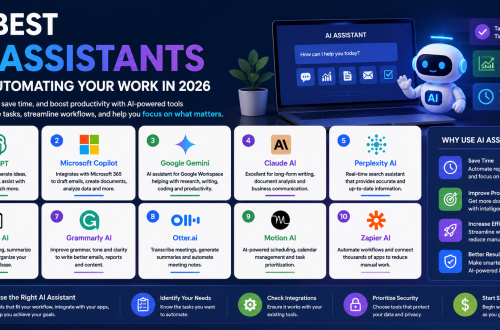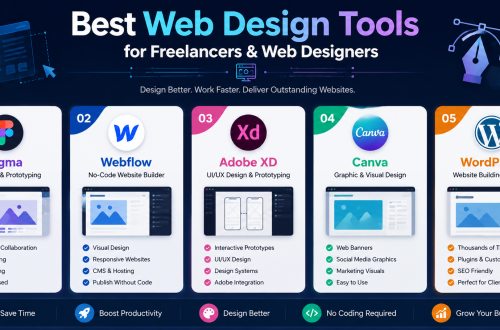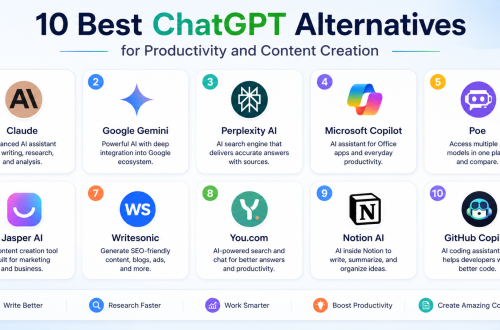







- The best AI tools in 2026 help professionals improve productivity, automate repetitive tasks, create content faster, and develop valuable career skills.
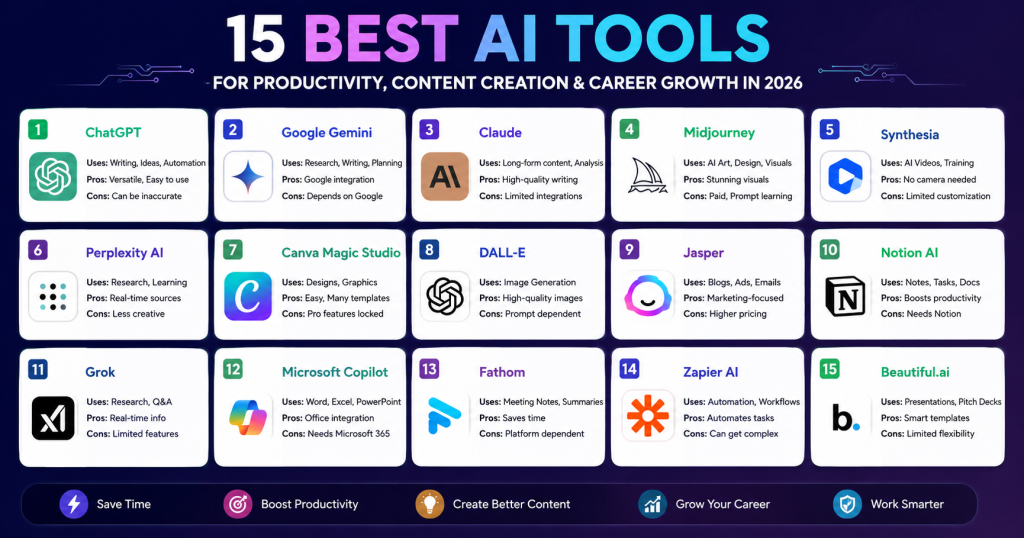
- Popular AI tools such as ChatGPT, Gemini, Claude, Jasper, and Perplexity AI support writing, research, content creation, and business productivity.
- Creative professionals can use Midjourney, DALL-E, Canva Magic Studio, and Beautiful.ai to generate images, designs, presentations, and marketing materials efficiently.
- Productivity-focused tools like Notion AI, Microsoft Copilot, Fathom, and Zapier AI help automate workflows, manage tasks, summarize meetings, and streamline daily operations.
- Learning and using AI tools can provide a competitive advantage, helping freelancers, marketers, business owners, and professionals work smarter and grow their careers faster.
Artificial intelligence is changing the way people work, learn, and create. Whether you are a freelancer, business owner, marketer, student, or content creator, using the best AI tools can help you save time, improve productivity, and develop valuable skills.
Manage Your Freelance Work Smarter
Stay organized with tasks, reminders, invoices, notes, files and daily workflow using Truedoit.
Try Truedoit FreeIn 2026, AI tools are no longer optional. Instead, they have become essential for professionals who want to stay competitive and work more efficiently.
Best AI Tools for Productivity
1. ChatGPT
ChatGPT helps users write content, brainstorm ideas, solve problems, and automate repetitive tasks.
Best Uses:
- Content writing
- Brainstorming ideas
- Coding assistance
- Research summaries
Pros:
- Easy to use
- Supports multiple tasks
- Fast content generation
- Large knowledge base
Cons:
- Can generate inaccurate information
- Advanced features require a paid plan
2. Google Gemini
Gemini provides AI-powered research, writing assistance, and seamless integration with Google Workspace.
Best Uses:
- Research
- Google Workspace productivity
- Content planning
- Data analysis
Pros:
- Strong Google integration
- Real-time web capabilities
- Good research assistance
Cons:
- Some features depend on Google services
- Responses may vary in depth
3. Claude
Claude is known for generating high-quality long-form content and detailed explanations.
Best Uses:
- Long-form writing
- Document analysis
- Professional communication
- Content editing
Pros:
- Excellent writing quality
- Handles long documents well
- Natural language responses
Cons:
- Limited integrations compared to competitors
- Feature availability varies by region
4. Midjourney
Midjourney creates stunning AI-generated artwork and creative visuals from simple text prompts.
Best Uses:
- AI artwork
- Concept design
- Marketing visuals
- Creative projects
Pros:
- High-quality image generation
- Creative visual outputs
- Strong artistic styles
Cons:
- Paid subscription required
- Learning curve for prompts
5. Synthesia
Synthesia allows users to create professional AI videos without cameras or actors.
Best Uses:
- AI videos
- Training content
- Product demonstrations
- Business presentations
Pros:
- No camera required
- Professional AI avatars
- Saves video production time
Cons:
- Limited avatar customization
- Premium plans can be expensive
6. Perplexity AI
Perplexity AI combines AI answers with real-time web research, making it useful for fact-checking and learning.
Best Uses:
- Research
- Fact-checking
- Learning new topics
- Source-based answers
Pros:
- Provides source citations
- Fast research process
- Easy to verify information
Cons:
- Less creative than some AI tools
- Advanced features require paid plans
7. Canva Magic Studio
Canva Magic Studio helps users create presentations, social media graphics, and marketing materials with AI assistance.
Best Uses:
- Social media graphics
- Presentations
- Marketing materials
- Visual content creation
Pros:
- Beginner-friendly
- Large template library
- Fast design creation
Cons:
- Some AI features require Pro version
- Limited advanced editing options
8. DALL-E
DALL-E generates unique images and visual concepts from text descriptions.
Best Uses:
- AI image generation
- Concept art
- Marketing visuals
- Creative projects
Pros:
- High-quality images
- Easy prompt-based generation
- Flexible image styles
Cons:
- Image quality depends on prompts
- Usage limits may apply
9. Jasper
Jasper helps marketers and writers create blog posts, advertisements, emails, and social media content faster.
Best Uses:
- Blog writing
- Marketing copy
- Email campaigns
- Social media content
Pros:
- Built for marketers
- Strong content templates
- SEO-friendly workflows
Cons:
- Higher pricing
- Primarily focused on marketing content
10. Notion AI
Notion AI improves note-taking, task management, and document creation within the Notion workspace.
Best Uses:
- Notes
- Task management
- Project planning
- Knowledge management
Pros:
- Integrated into Notion workspace
- Improves productivity
- Great for organization
Cons:
- Requires Notion ecosystem
- Limited compared to standalone AI tools
11. Grok
Grok provides conversational AI assistance and real-time information access for research and productivity.
Best Uses:
- Research
- Real-time information
- General productivity
- AI conversations
Pros:
- Access to current information
- Fast responses
- Easy to use
Cons:
- Feature set still evolving
- Some features require premium access
12. Microsoft Copilot
Microsoft Copilot works with Word, Excel, PowerPoint, and other Microsoft applications to automate daily tasks.
Best Uses:
- Word documents
- Excel analysis
- Presentations
- Business productivity
Pros:
- Deep Microsoft integration
- Improves office productivity
- Useful for professionals
Cons:
- Works best within Microsoft ecosystem
- Premium features require subscriptions
13. Fathom
Fathom automatically records meetings and creates AI-generated summaries, helping users save time.
Best Uses:
- Meeting recording
- Meeting summaries
- Client calls
- Team collaboration
Pros:
- Automatic note-taking
- Saves meeting time
- Easy sharing
Cons:
- Focused mainly on meetings
- Requires supported meeting platforms
14. Zapier AI
Zapier AI helps automate workflows between applications without requiring technical expertise.
Best Uses:
- Workflow automation
- App integrations
- Business processes
- Productivity automation
Pros:
- Connects thousands of apps
- Reduces repetitive work
- No coding required
Cons:
- Advanced automations can become complex
- Premium plans may be costly
15. Beautiful.ai
Beautiful.ai uses AI to create professional presentations quickly and efficiently.
Best Uses:
- Presentations
- Pitch decks
- Business reports
- Client proposals
Pros:
- Professional presentation design
- Time-saving templates
- Easy customization
Cons:
- Focused mainly on presentations
- Limited design flexibility compared to advanced design tools
Why These Are the Best AI Tools
The best AI tools help users:
- Improve productivity
- Create content faster
- Automate repetitive tasks
- Learn new skills
- Generate ideas quickly
- Save valuable time
As a result, professionals can focus more on creativity, strategy, and business growth.
How AI Tools Support Career Growth
Learning AI tools can provide a significant career advantage. For example, freelancers can complete projects faster, marketers can create campaigns more efficiently, and business owners can automate routine operations.
Furthermore, AI skills are becoming increasingly valuable in the job market. Therefore, professionals who learn these tools today may gain a competitive advantage tomorrow.
Frequently Asked Questions
1, What are the best AI tools in 2026?
Some of the best AI tools include ChatGPT, Gemini, Claude, Midjourney, Perplexity AI, Canva Magic Studio, DALL-E, Jasper, Notion AI, Copilot, and Zapier AI.
2, Which AI tool is best for content creation?
ChatGPT, Claude, Jasper, and Gemini are among the most popular AI tools for creating blog posts, marketing content, emails, and social media content.
3, Are AI tools useful for career growth?
Yes. AI tools help professionals improve productivity, learn faster, automate tasks, and develop valuable skills that are increasingly in demand across industries.
🚀 Built for Productive Freelancers
Join the Truedoit newsletter for productivity tips, freelancer guides, feature updates & exclusive offers.
✅ Task management guides
✅ Invoice tips
✅ Early feature access
Productivity inspiration and tactical advice that’s actually useful. Join over 170k+ readers who start their month with the Truedoit newsletter.