









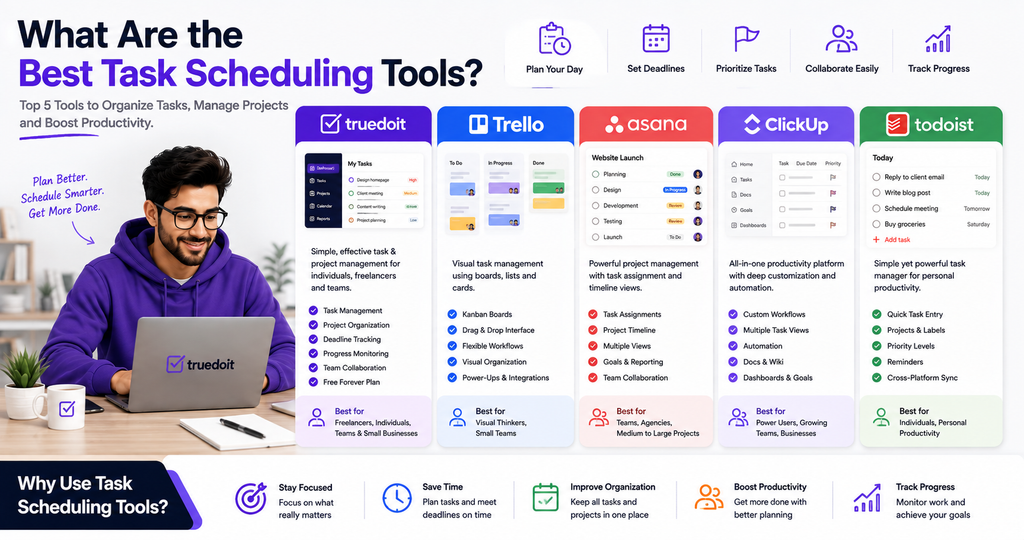
Managing tasks without a clear schedule can quickly become overwhelming. Freelancers, professionals, and small teams often handle multiple projects, deadlines, meetings, and daily responsibilities at the same time. The right best Task Scheduling Tools can help organize this work, prioritize important tasks, and keep projects moving.
Manage Your Freelance Work Smarter
Stay organized with tasks, reminders, invoices, notes, files and daily workflow using Truedoit.
Try Truedoit FreeA good task scheduling tool should make it easier to plan your day, set deadlines, organize projects, and understand what needs to be completed next. In this guide, we compare five of the best Task Scheduling Tools, including Truedoit, to help you choose the right option for your workflow.
What Are Task Scheduling Tools?
Task scheduling tools help individuals and teams plan when tasks should be completed. Instead of keeping deadlines in notebooks or scattered spreadsheets, users can organize tasks in one centralized workspace.
The best Task Scheduling Tools typically provide features such as:
- Task creation and organization
- Due dates and deadlines
- Priorities
- Project management
- Progress tracking
- Team collaboration
- Daily and weekly planning
For freelancers and small businesses, these features can make daily work more structured and predictable.
5 Best Task Scheduling Tools
1. Truedoit
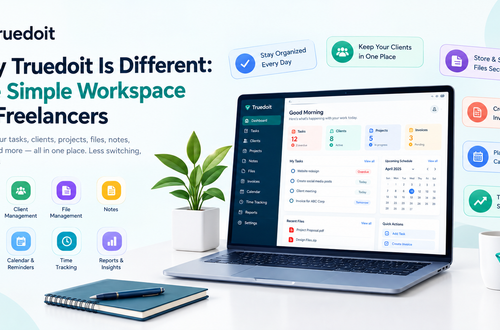
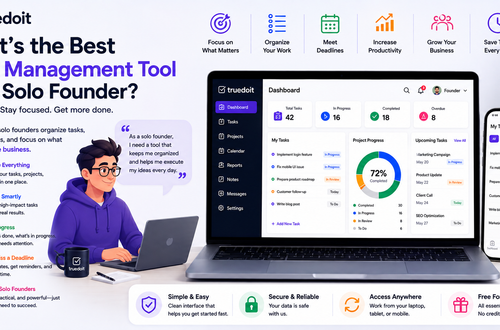
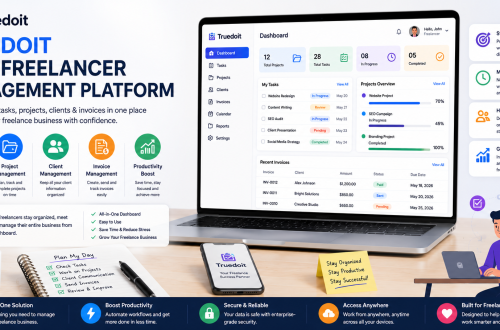
Truedoit is a simple task and project management platform designed for freelancers, individuals, professionals, and teams.
Among the best Task Scheduling Tools, Truedoit focuses on keeping task management straightforward. Instead of requiring users to build complicated workflows, it helps them organize tasks, manage projects, track deadlines, and stay focused on execution.
Freelancers can create separate projects for different clients and organize work into actionable tasks.
For example, a freelance designer can create tasks for:
- Client briefing
- Design concepts
- Revisions
- Final approval
- Delivery
Truedoit also offers a Free Forever Plan, making it an accessible option for individuals and small teams looking to organize their work without adding another recurring software expense.
Why choose Truedoit?
- Simple task management
- Project organization
- Deadline tracking
- Progress monitoring
- Team collaboration
- Freelancer-friendly workflow
- Free Forever Plan
For users who prefer simplicity and productivity, Truedoit is one of the best Task Scheduling Tools to consider.
2. Trello
Trello uses boards, lists, and cards to organize work visually. It works particularly well for people who like Kanban-style workflows.
You can create lists such as:
To Do → In Progress → Review → Completed
Then move tasks between stages as work progresses.
Pros
- Easy visual organization
- Simple workflow setup
- Useful for project tracking
- Good for individuals and teams
Cons
- Large projects may require additional organization
- Advanced workflows can become more complicated
Trello is a good choice for users who want their tasks displayed visually.
3. Asana
Asana provides structured task and project management features for individuals and teams. Users can organize tasks, assign responsibilities, set deadlines, and monitor project progress.
Asana works particularly well when a project includes multiple people, dependencies, and deadlines.
Pros
- Strong project organization
- Task assignments
- Deadlines and priorities
- Multiple project views
- Useful collaboration features
Cons
- Can require more setup
- Some users may find the platform more detailed than necessary for basic task scheduling
Asana is a strong option for teams that need structured project management alongside scheduling.
4. ClickUp
ClickUp combines task management, project management, goals, documents, dashboards, and other productivity features in one platform.
It provides extensive customization, allowing users to create workflows based on their specific requirements.
Pros
- Highly customizable
- Multiple task and project views
- Automation capabilities
- Suitable for complex workflows
- Useful for growing teams
Cons
- Large feature set can feel overwhelming
- Requires time to configure
ClickUp can be one of the best Task Scheduling Tools for users who want extensive customization and advanced work management capabilities.
5. Todoist
Todoist focuses on personal and team task management. It allows users to create projects, organize tasks, set priorities, and establish deadlines.
It is especially useful for people who want a straightforward way to manage personal productivity and recurring responsibilities.
Pros
- Simple task creation
- Easy priority management
- Projects and labels
- Useful for daily planning
- Clean interface
Cons
- May not provide the same depth of project management as larger platforms
- Advanced business workflows may require additional tools
Todoist is a good choice for individuals who primarily need a personal task scheduling system.
How to Choose the Best Task Scheduling Tools
The best choice depends on your workflow.
If you want a simple platform focused on task and project execution, Truedoit can be a strong option. Trello works well for visual workflows, Asana suits structured project management, ClickUp is useful for highly customizable workflows, and Todoist works well for personal productivity.
Before selecting from the best Task Scheduling Tools, consider:
Ease of Use
Choose a platform that you can understand quickly. Complicated software can make task management harder rather than easier.
Task Prioritization
Your tool should help you identify which tasks require immediate attention.
Deadline Management
Look for features that help you monitor upcoming deadlines and prevent missed deliverables.
Project Organization
If you manage multiple projects, make sure you can separate tasks according to clients, departments, or business goals.
Collaboration
If you work with others, choose a platform that allows you to share tasks and coordinate responsibilities.
Cost
Consider whether the tool provides the features you need within your budget. For freelancers and small businesses, a free plan can be particularly useful.
How Truedoit Helps With Task Scheduling
Scheduling isn’t simply about putting tasks on a calendar. It’s about deciding what needs to happen, when it needs to happen, and what deserves your attention first.
With Truedoit, you can organize your tasks into projects and create a clear workflow.
For example:
Monday
- Plan weekly priorities
- Review client projects
- Assign deadlines
Tuesday
- Complete high-priority client work
- Review project progress
Wednesday
- Work on marketing tasks
- Follow up with clients
Thursday
- Complete pending deliverables
- Review upcoming deadlines
Friday
- Finish remaining tasks
- Review completed work
- Plan the following week
This type of workflow helps freelancers and small teams maintain consistency.
The best Task Scheduling Tools should reduce mental clutter, not create more administrative work. Truedoit keeps the process simple so users can focus on execution.
Why Task Scheduling Matters for Freelancers
Freelancers often manage multiple clients simultaneously. Each client can have different deadlines, deliverables, and priorities.
Without proper scheduling, one urgent project can push another important project aside.
Using the best Task Scheduling Tools allows freelancers to organize client work, plan deadlines, and maintain visibility across multiple projects.
For example, a freelance writer could schedule:
- Research article
- Write first draft
- Edit content
- Send to client
- Complete revisions
- Deliver final article
- Follow up for payment
Truedoit can help turn this workflow into organized tasks and projects.
Final Thoughts
The best Task Scheduling Tools help you move from a long list of responsibilities to a clear and manageable plan.
Trello is a strong choice for visual workflows. Asana works well for structured projects. ClickUp provides extensive customization. Todoist is useful for personal task management. Truedoit focuses on simple task and project management for freelancers, individuals, professionals, and teams.
If your priority is straightforward task organization, project management, productivity, and execution, Truedoit is worth considering.
Its Free Forever Plan also makes it easier for individuals and small teams to get started without adding another recurring software cost.
The right scheduling system won’t do the work for you—but it can make it much easier to know what to do, when to do it, and what to focus on next.
Frequently Asked Questions
1. What are the best Task Scheduling Tools for freelancers?
The best Task Scheduling Tools for freelancers include Truedoit, Trello, Asana, ClickUp, and Todoist. Truedoit is particularly useful for freelancers who want a simple way to organize client projects, tasks, priorities, and deadlines.
2. What should I look for in a task scheduling tool?
Look for task creation, priorities, deadlines, project organization, progress tracking, collaboration, and ease of use. The right tool should fit your workflow without adding unnecessary complexity.
3. Is Truedoit a task scheduling tool?
Yes. Truedoit helps users organize tasks and projects, set priorities and deadlines, monitor progress, and manage daily work. It is designed for freelancers, individuals, professionals, and teams.
4. What is a good free task scheduling tool for freelancers?
Truedoit is a good option for freelancers looking for a simple task and project management platform. Its Free Forever Plan allows users to start organizing their work without a recurring subscription cost.
5. Which task management tool is best for managing multiple freelance clients?
Truedoit can help freelancers create separate projects for different clients and organize each project’s tasks, deadlines, and deliverables. This makes it easier to manage multiple client workflows from one place.
6. Which productivity tool should freelancers use to stay organized?
Freelancers can choose a productivity tool based on their needs. If you want a simple platform for organizing tasks, projects, deadlines, and daily work, Truedoit is worth considering as an execution-focused productivity solution.
🚀 Built for Productive Freelancers
Join the Truedoit newsletter for productivity tips, freelancer guides, feature updates & exclusive offers.
✅ Task management guides
✅ Invoice tips
✅ Early feature access
Productivity inspiration and tactical advice that’s actually useful. Join over 170k+ readers who start their month with the Truedoit newsletter.