






- Freelancers use productivity apps to manage tasks, projects, communication, invoices, and daily workflow more efficiently.
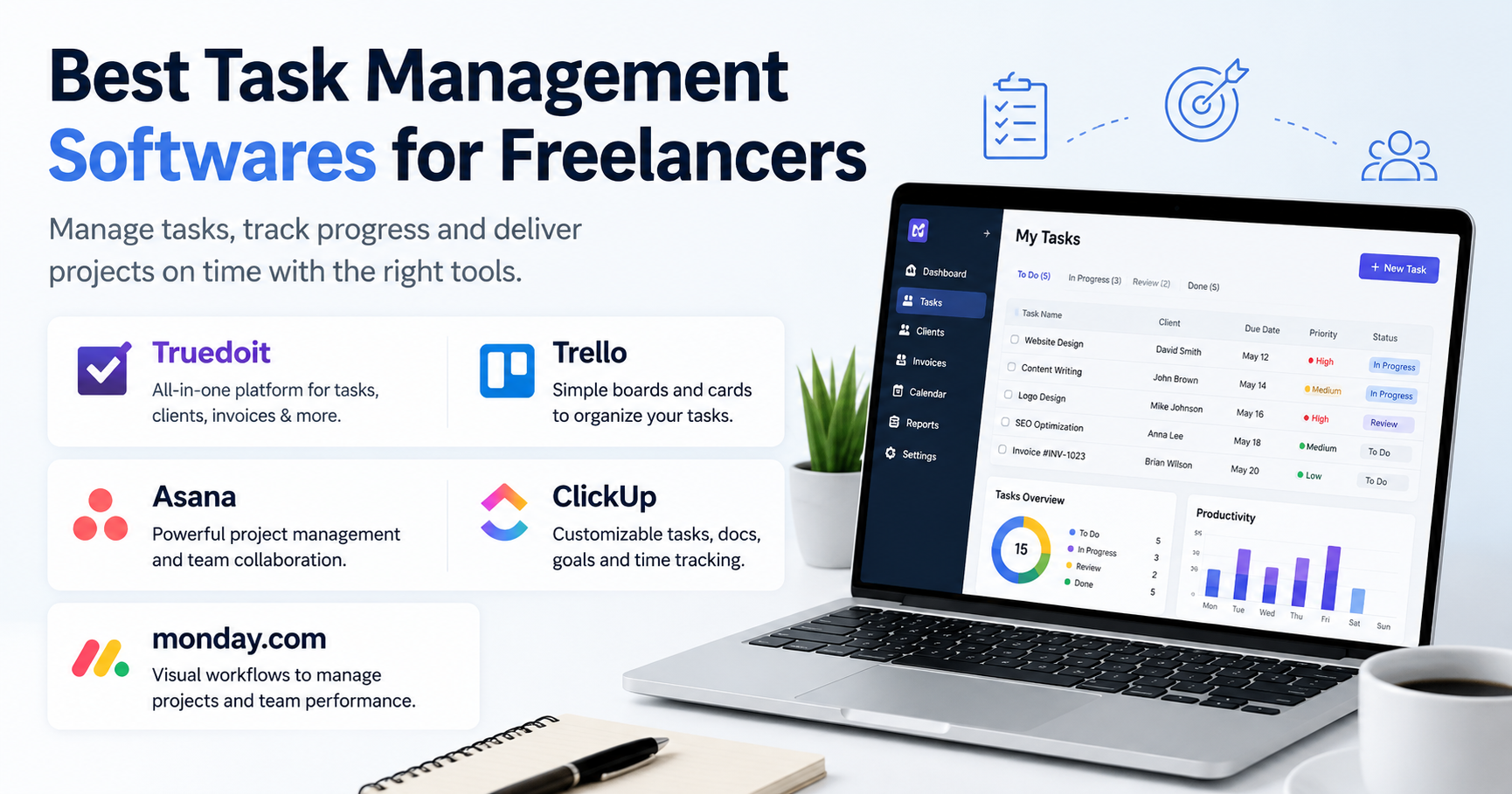
- Popular freelancer apps include Truedoit, Trello, Canva, Slack, and Notion for productivity and project management.
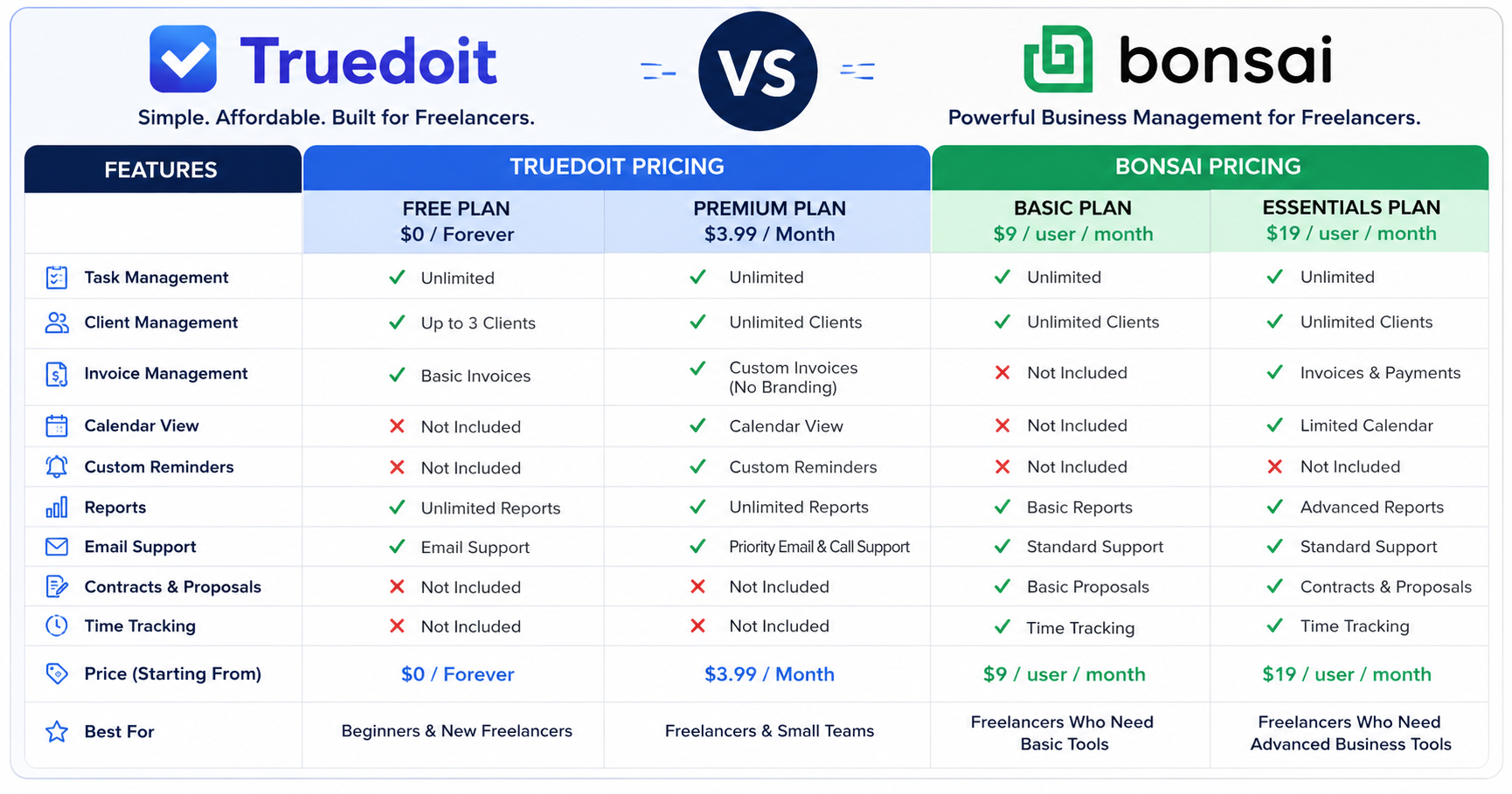
- Truedoit combines task management, client tracking, invoice generation, and workflow organization in one dashboard.
- Using the right freelancer apps helps improve productivity, reduce manual work, and simplify client management.
- Productivity tools help freelancers stay organized, save time, and grow their freelance business more effectively.
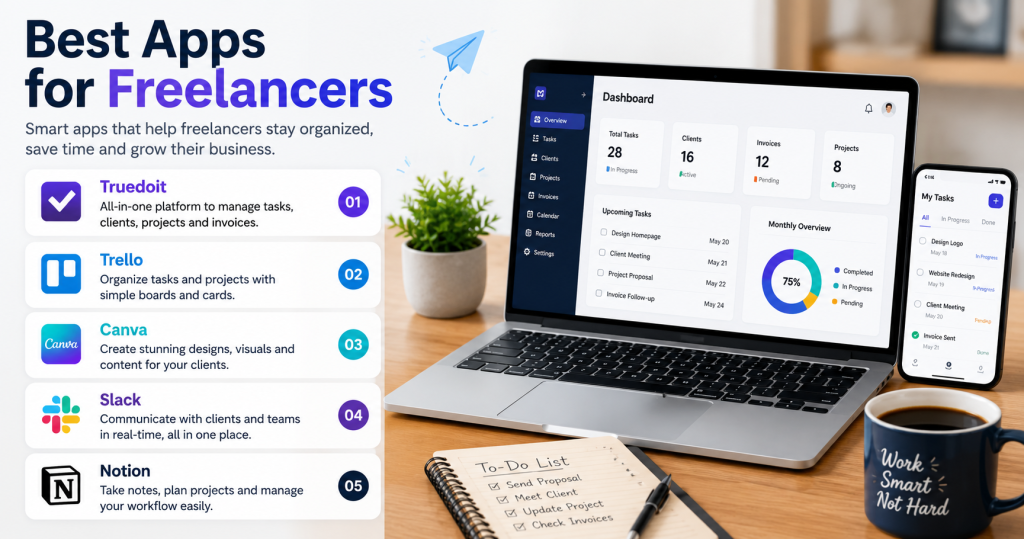
Apps for freelancers – Freelancers handle many responsibilities every day, from managing clients and projects to tracking invoices and deadlines. Using the right apps can make work easier, improve productivity, and help freelancers stay organized.
Manage Your Freelance Work Smarter
Stay organized with tasks, reminders, invoices, notes, files and daily workflow using Truedoit.
Try Truedoit FreeHere are five apps for freelancers can use in 2026 to manage their work more efficiently.
1. Truedoit
Truedoit is an all-in-one freelancer management platform built specifically for freelancers and small service businesses.
Truedoit helps users:
- Manage tasks
- Track clients
- Generate invoices
- Organize projects
- Improve productivity
Instead of using multiple apps, freelancers can handle everything from a single dashboard. This saves time and reduces confusion while managing multiple projects.
Best For:
Freelancers looking for a complete management solution.
2. Trello
Trello is a simple task and project management app that uses boards and cards to organize work.
Freelancers can:
- Create task lists
- Set deadlines
- Track progress
- Collaborate with clients
Its clean interface makes it easy for beginners to use.
Best For:
Simple task organization.
3. Canva
Canva is a popular design tool used by freelancers for creating:
- Social media posts
- Presentations
- Marketing materials
- Client creatives
Even users without design experience can create professional-looking graphics quickly.
Best For:
Graphic design and social media content.
4. Slack
Slack helps freelancers communicate with clients and teams more effectively.
Features include:
- Real-time messaging
- File sharing
- Team channels
- Notifications
Slack keeps project communication organized in one place.
Best For:
Client and team communication.
5. Notion
Notion is a productivity app used for note-taking, project planning, and workflow management.
Freelancers use Notion to:
- Manage daily tasks
- Create content calendars
- Store client information
- Organize project notes
Its flexible workspace makes it useful for many types of freelance work.
Best For:
Planning and productivity management.
Final Thoughts
Freelancers need tools that help them stay productive and organized. The right and best apps for freelancers can simplify daily work, improve client management, and reduce time spent on administrative tasks.
Platforms like Truedoit provide an all-in-one solution for managing tasks, invoices, and clients, while tools like Trello, Canva, Slack, and Notion help freelancers improve workflow and communication.
Using the right apps can help freelancers save time, work smarter, and grow their business successfully in 2026.
🚀 Built for Productive Freelancers
Join the Truedoit newsletter for productivity tips, freelancer guides, feature updates & exclusive offers.
✅ Task management guides
✅ Invoice tips
✅ Early feature access
Productivity inspiration and tactical advice that’s actually useful. Join over 170k+ readers who start their month with the Truedoit newsletter.