







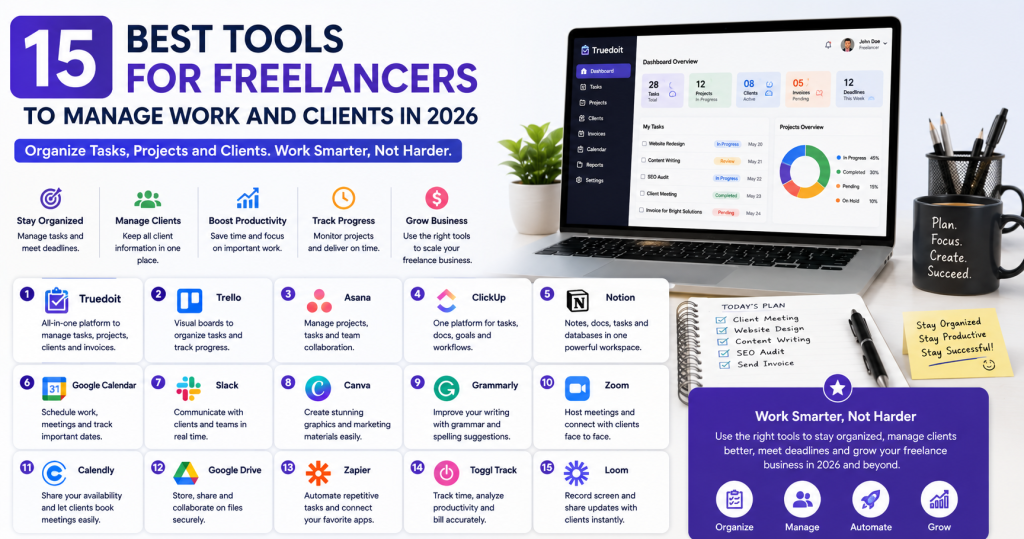
Freelancers manage many responsibilities every day. They need to communicate with clients, complete projects, track deadlines, send invoices, and organize their workload. The right Best Tools for Freelancers can simplify these responsibilities and help independent professionals work more efficiently.
Manage Your Freelance Work Smarter
Stay organized with tasks, reminders, invoices, notes, files and daily workflow using Truedoit.
Try Truedoit FreeWhether you are a designer, developer, writer, marketer, consultant, or virtual assistant, productivity tools can help you save time and stay organized.
Why Freelancers Need Productivity Tools
Managing everything manually can quickly become difficult. Freelancers often switch between spreadsheets, email, calendars, messaging apps, and task lists.
The right productivity tools can help you:
- Organize tasks and projects.
- Manage multiple clients.
- Track deadlines.
- Improve time management.
- Automate repetitive work.
- Manage invoices.
- Stay focused on important work.
Here are 15 useful tools freelancers can consider in 2026.
15 Best Tools for Freelancers
1. Truedoit
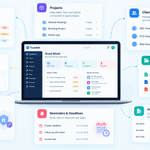
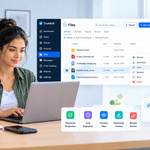
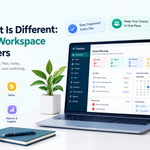
Truedoit is an all-in-one productivity platform designed for freelancers and small businesses. It helps users manage tasks, projects, clients, deadlines, and invoices from one workspace.
Best for: Task management, project management, client management, and invoicing.
2. Trello
Trello uses visual boards and cards to help freelancers organize tasks and project workflows.
Best for: Visual task management and simple project planning.
3. Asana
Asana helps freelancers organize projects, create tasks, set deadlines, and monitor progress.
Best for: Project planning and workflow management.
4. ClickUp
ClickUp combines task management, project planning, documents, goals, and productivity features.
Best for: Advanced project management.
5. Notion
Notion provides a flexible workspace for notes, documents, databases, projects, and tasks.
Best for: Documentation and workspace organization.
6. Google Calendar
Google Calendar helps freelancers schedule meetings, plan work, and track important deadlines.
Best for: Scheduling and time management.
7. Slack
Slack helps freelancers communicate with clients and teams through organized channels and direct messages.
Best for: Client and team communication.
8. Canva
Canva helps freelancers create graphics, presentations, social media content, and marketing materials.
Best for: Graphic design and content creation.
9. Grammarly
Grammarly helps freelancers improve writing quality, grammar, tone, and clarity.
Best for: Writing and professional communication.
10. Zoom
Zoom provides video meetings for client discussions, project meetings, consultations, and presentations.
Best for: Video communication.
11. Calendly
Calendly allows freelancers to share booking links and let clients schedule meetings based on their availability.
Best for: Meeting scheduling.
12. Google Drive
Google Drive provides cloud storage for documents, spreadsheets, presentations, and project files.
Best for: File storage and collaboration.
13. Zapier
Zapier connects different applications and automates repetitive workflows.
Best for: Workflow automation.
14. Toggl Track
Toggl Track helps freelancers monitor how much time they spend on different projects and tasks.
Best for: Time tracking and productivity analysis.
15. Loom
Loom allows freelancers to record their screen and create quick video explanations for clients.
Best for: Client communication and project demonstrations.
How to Choose the Best Tools for Freelancers
You don’t need to use every tool on this list. Choose tools based on your actual workflow.
Consider:
- How many clients you manage.
- The number of active projects.
- Your communication requirements.
- Your invoicing needs.
- Your preferred workflow.
- The tools you already use.
For example, a freelancer who manages several clients may need task management, project tracking, invoicing, communication, and time tracking. An all-in-one platform such as Truedoit can reduce the need to switch between multiple applications.
How Productivity Tools Help Freelancers
The right productivity tools can make your daily workflow more efficient. Instead of spending hours organizing information, you can focus on completing client work.
They can help you:
- Prioritize important tasks.
- Reduce missed deadlines.
- Organize client information.
- Track project progress.
- Automate repetitive activities.
- Improve communication.
- Save valuable time.
Using tools consistently can also help you create a repeatable workflow as your freelance business grows.
Final Thoughts
The Best Tools for Freelancers depend on your specific needs. Some tools focus on project management, while others help with communication, design, time tracking, or automation.
For freelancers who want to manage tasks, projects, clients, and invoices in one place, Truedoit offers an organized productivity solution. Combining the right tools with good work habits can help you stay productive, meet deadlines, and build a more efficient freelance business.
Suggested : To Do List for Desktop: Organize Tasks, Projects and Clients
Frequently Asked Questions
What are the Best Tools for Freelancers in 2026?
The Best Tools for Freelancers include Truedoit, Trello, Asana, ClickUp, Notion, Google Calendar, Slack, Canva, Grammarly, Zoom, Calendly, Google Drive, Zapier, Toggl Track, and Loom. The best choice depends on your workflow and business needs.
Which productivity tools help freelancers manage clients?
Tools such as Truedoit, Slack, Google Drive, Calendly, and Zoom can help freelancers manage different parts of their client workflow. Truedoit combines task, project, client, and invoice management in one platform.
How can freelancers improve productivity with these tools?
Freelancers can improve productivity by using tools to organize tasks, prioritize deadlines, track projects, automate repetitive work, and manage client information. Choosing a small set of tools that works well together can create a more efficient workflow.
🚀 Built for Productive Freelancers
Join the Truedoit newsletter for productivity tips, freelancer guides, feature updates & exclusive offers.
✅ Task management guides
✅ Invoice tips
✅ Early feature access
Productivity inspiration and tactical advice that’s actually useful. Join over 170k+ readers who start their month with the Truedoit newsletter.