








When I started freelancing, creating invoices was something I never thought much about. After finishing a project, I would open a spreadsheet, type in the client details, calculate the total manually, save it as a PDF, and send it by email. It worked at first, but as I started working with more clients, things became messy. I forgot invoice numbers, spent too much time creating new invoices, and occasionally had to search through old files just to check whether a client had paid. That’s when I realized I needed reliable invoice software for freelancers.
Manage Your Freelance Work Smarter
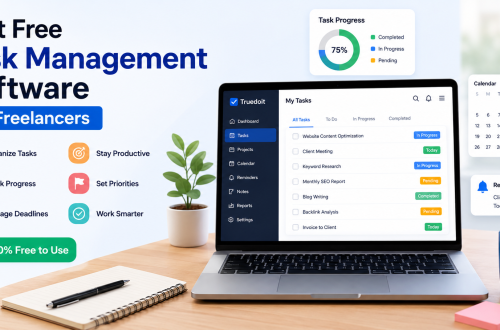
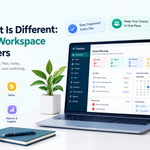
Stay organized with tasks, reminders, invoices, notes, files and daily workflow using Truedoit.
Try Truedoit FreeWhy Freelancers Need Invoice Software
Creating professional invoices is more than requesting payment. A well-designed invoice builds trust, keeps records organized, and makes it easier to manage your freelance business.
Good invoice software helps freelancers:
- Create professional invoices in minutes
- Track invoice history
- Manage client information
- Monitor pending payments
- Save time on repetitive work
Instead of creating invoices manually every time, you can focus on serving your clients.
My Search for the Right Tool
I tried several invoicing tools. Some were powerful but expensive. Others included features that I never actually used.
As a freelancer, I wanted something simple. I didn’t need enterprise-level accounting software. I needed a platform that helped me organize both my work and my invoices.
Why I Chose Truedoit
That’s when I started using Truedoit.
What I liked most was that it wasn’t just invoice software for freelancers. It also helped me organize my daily workflow.
With Truedoit, I can:
- Create professional invoices
- Manage daily tasks
- Track project progress
- Organize client information
- Set reminders and follow-ups
- Monitor productivity
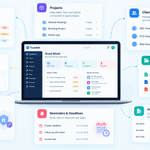
Instead of switching between separate apps for tasks and invoicing, everything stays organized in one dashboard.
This saves me time every day and helps me keep my freelance business running smoothly.
Choosing the Best Invoice Software
Every freelancer has different needs. Some need advanced accounting features, while others simply want a fast and professional way to create invoices.
The best invoice software for freelancers should be easy to use, save time, and help keep your business organized—not make your workflow more complicated.
For me, having invoicing together with task management and project tracking has made a noticeable difference.
Conclusion
Running a successful freelance business requires more than delivering great work. You also need an efficient way to manage payments, projects, and clients.
If you’re looking for invoice software for freelancers, consider choosing a solution that does more than create invoices. Truedoit combines invoicing, task management, project tracking, reminders, and client management into one simple platform, helping freelancers stay organized while spending less time on administration and more time growing their business.
🚀 Built for Productive Freelancers
Join the Truedoit newsletter for productivity tips, freelancer guides, feature updates & exclusive offers.
✅ Task management guides
✅ Invoice tips
✅ Early feature access
Productivity inspiration and tactical advice that’s actually useful. Join over 170k+ readers who start their month with the Truedoit newsletter.