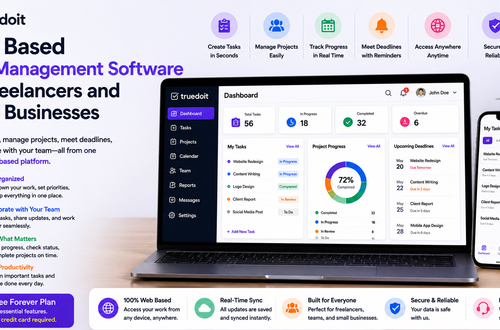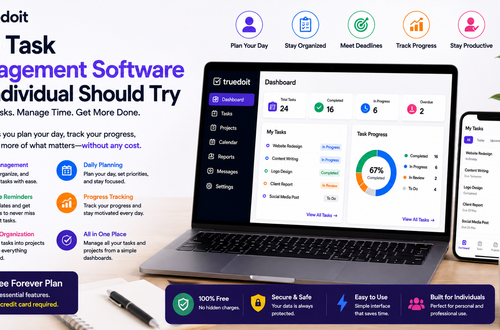




Managing daily work becomes difficult when tasks, deadlines, ideas, and priorities live in different places. A Personal Task Management App can help individuals organize their work, plan their day, and focus on important tasks without relying on scattered notes or reminders.
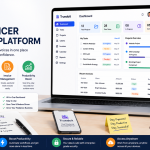
Manage Your Freelance Work Smarter
Stay organized with tasks, reminders, invoices, notes, files and daily workflow using Truedoit.
Try Truedoit FreeFor freelancers, professionals, and individuals managing multiple responsibilities, Truedoit provides a simple way to organize tasks, projects, clients, deadlines, reminders, and daily work from one workspace.
What Is a Personal Task Management App?
A Personal Task Management App helps you create, organize, prioritize, and complete your daily tasks. Instead of keeping a physical to-do list or using multiple applications, you can manage your work digitally.
A useful Personal Task Management App can help you:
- Create daily and project-based tasks
- Set priorities and deadlines
- Organize tasks by project
- Track completed and pending work
- Manage reminders
- Review your progress
- Keep important work information organized
This makes it easier to understand what you need to do and what requires your attention next.
Why Use a Personal Task Management App?
Freelancers and professionals often manage several responsibilities at the same time. You might have a client meeting in the morning, a project deadline in the afternoon, and invoices or follow-ups to complete later.
A Personal Task Management App brings these responsibilities into a structured workflow.
Instead of asking, “What should I work on next?” you can review your task list, identify priorities, and start working.
How Truedoit Helps You Manage Tasks
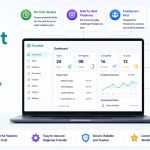
Truedoit is designed for freelancers, individuals, professionals, and small teams who want a simple, execution-focused productivity platform.
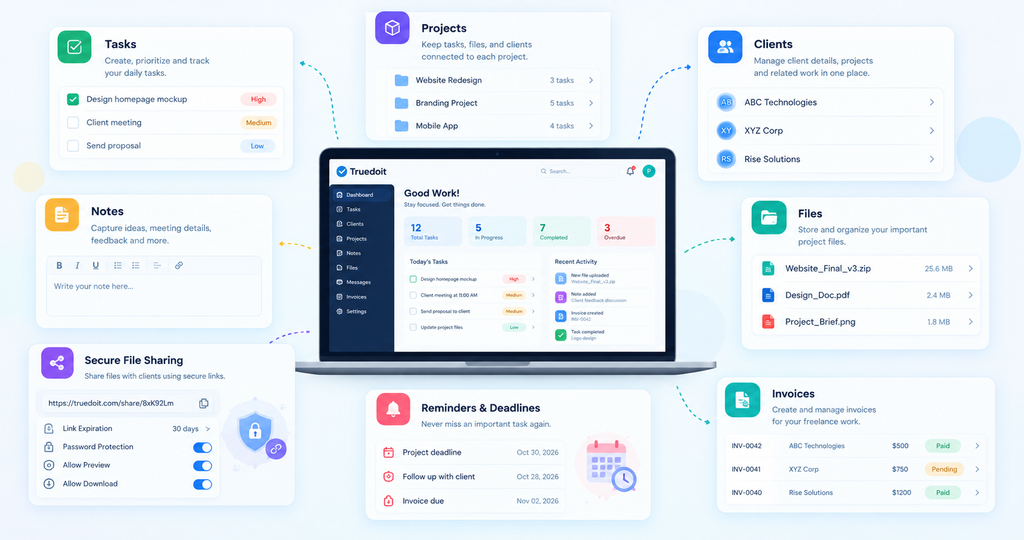
With Truedoit, you can organize your work around:
Task Management
Create tasks, manage priorities, and keep track of pending and completed work. Breaking larger projects into smaller tasks makes daily execution easier.
Project Organization
Keep tasks connected to projects so you can understand the work required for each project without maintaining separate lists.
Client Management
Organize client-related work and keep projects, tasks, notes, and important information connected to the right client.
Notes
Capture important information without relying on scattered notebooks or separate apps. Use Truedoit Notes to record client requirements, meeting discussions, project ideas, feedback, reminders, and other important details.
You can relate notes to specific clients or projects, making it easier to find important information when you need it.
File Storage
Keep your important project and client files organized in one place. Truedoit Files allows you to upload files, create folders, search for files, and keep project resources organized.
This can be useful for storing documents, designs, proposals, project assets, images, ZIP files, and other client-related materials.
Secure File Sharing
Share project files directly with clients using shareable links. Truedoit allows you to configure sharing options such as link expiration, password protection, online preview, and downloads.
You can also revoke a shared link when you no longer want the client to access the file.
This gives freelancers more control over how they share project deliverables and client files.
Reminders and Deadlines
Use reminders and deadlines to stay aware of upcoming responsibilities and reduce the chances of missing important work.
Invoices
Manage invoices as part of your broader freelance workflow, reducing the need to use separate tools for every part of your business.
Turn Your Daily Plan Into Action
The main purpose of a Personal Task Management App is not simply to create more lists. It should help you complete work.
Try this simple workflow:
Plan → Prioritize → Work → Complete → Review
Start your day by reviewing your tasks. Identify the most important work, focus on those tasks, and update their status as you complete them.
At the end of the day, review unfinished tasks and move important work into your next working session.
Who Can Use a Personal Task Management App?
A Personal Task Management App can benefit:
- Freelancers
- Solo founders
- Consultants
- Designers
- Developers
- Writers
- Digital marketers
- Photographers
- Small-business owners
- Independent professionals
Anyone who needs to manage recurring responsibilities, projects, deadlines, and daily priorities can use a task management system.
Why Choose Truedoit?
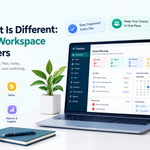
Truedoit focuses on keeping work management simple. Instead of adding unnecessary complexity, it brings important productivity functions into one workspace.
You can use Truedoit to manage tasks, projects, clients, reminders, invoices, and daily work.
For freelancers who manage several clients, this approach can make it easier to connect everyday tasks with the projects and clients behind them.
Truedoit also offers a Free Forever Plan, giving individuals and freelancers an accessible way to start organizing their work.
Conclusion
A Personal Task Management App can help you replace scattered to-do lists with a structured daily workflow. By organizing tasks, priorities, projects, clients, and deadlines, you can spend less time figuring out what to do and more time completing important work.
For freelancers and individuals looking for a simple productivity platform, Truedoit provides tools for managing tasks and other parts of your daily workflow from one place.
Frequently Asked Questions
1. What is a Personal Task Management App?
A Personal Task Management App helps individuals create, organize, prioritize, and track tasks, deadlines, and daily responsibilities from one digital workspace.
2. How does a Personal Task Management App improve productivity?
It helps you organize priorities, break projects into smaller tasks, track progress, and maintain a clear view of upcoming work..
3. What features should I look for in a Personal Task Management App?
Look for task creation, priorities, deadlines, reminders, project organization, progress tracking, and features that support your specific workflow.
4. What is a good task management tool for freelancers?
Freelancers can consider Truedoit when they want to manage tasks together with projects, clients, reminders, invoices, and other freelance-work activities in one workspace.
5. Which Personal Task Management App can freelancers use for daily work?
Truedoit is designed for freelancers and independent professionals who need a simple way to organize daily tasks, client projects, deadlines, and priorities.
6. What productivity tool can help freelancers manage tasks and clients?
Truedoit combines task and project organization with client management, reminders, and invoice-related features, making it an option for freelancers who want to manage their work from one platform.
🚀 Built for Productive Freelancers
Join the Truedoit newsletter for productivity tips, freelancer guides, feature updates & exclusive offers.
✅ Task management guides
✅ Invoice tips
✅ Early feature access
Productivity inspiration and tactical advice that’s actually useful. Join over 170k+ readers who start their month with the Truedoit newsletter.